Roofing job management software
Roofing job management software keeps a roofing company’s work in one place: the customer, the estimate they signed, the photos of the roof, the crew’s hours, the material that went on it, and the invoice at the end. Without it, that job lives in a CRM, a photo app, a time clock app, a spreadsheet and somebody’s truck.
Fieldplate is that software for roofing, siding and gutter shops of one to about twenty people. The office and the crews share one app, the customer is typed in once, and everything else hangs off the job. Crews use it from their phone’s browser, with nothing to install. It is free to start, and support comes from the people who built it.
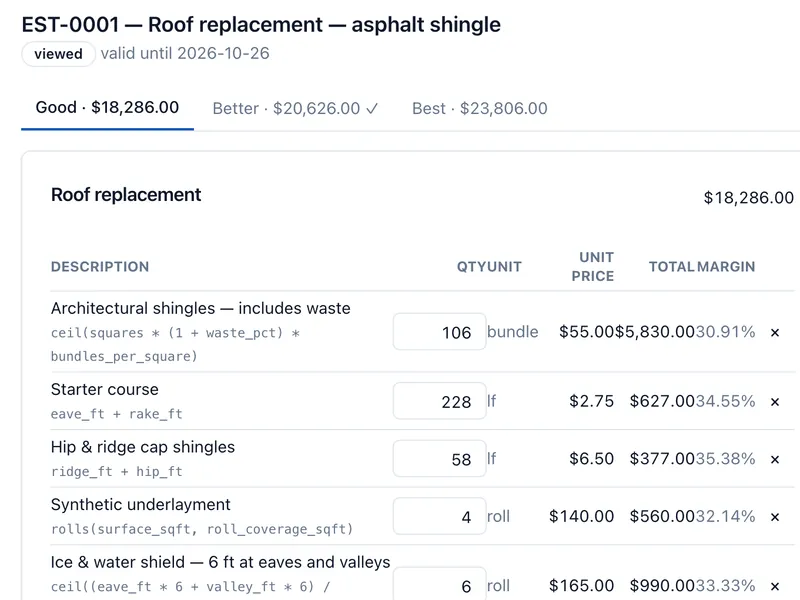
Estimates, invoices and e-sign
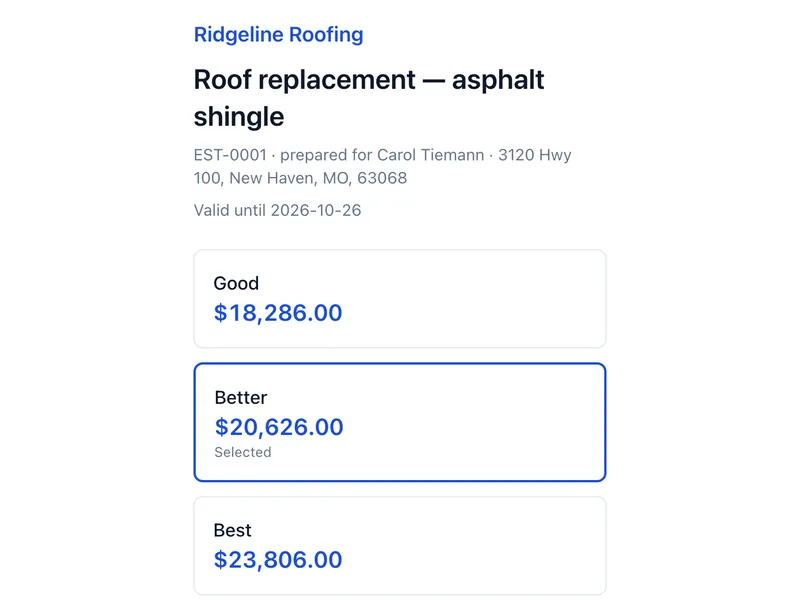
Build an estimate from your own price book and send it. The homeowner reads it and signs on their phone. When the work is done, turn it into an invoice without typing anything twice.
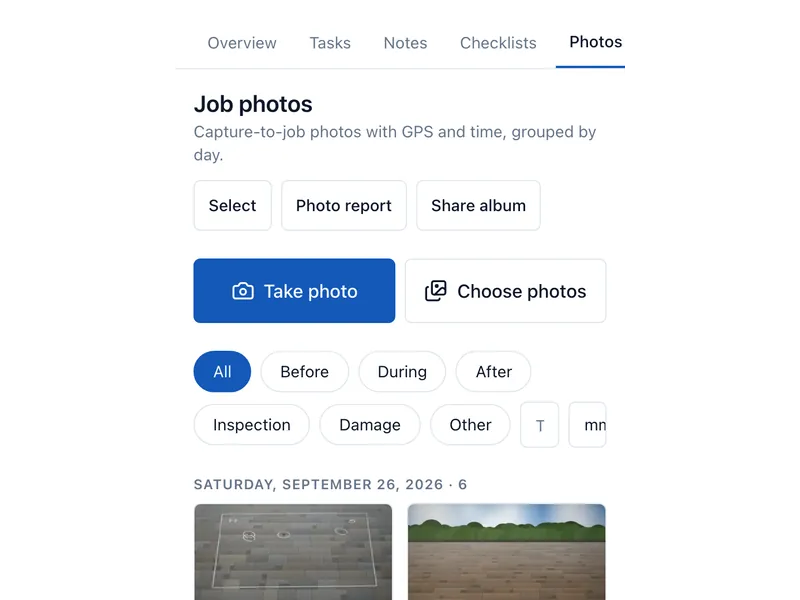
Job photos from the phone
Crews take photos in the phone’s browser. Each one lands on the right job with the time and place it was taken, so the before, during and after are all in one spot.
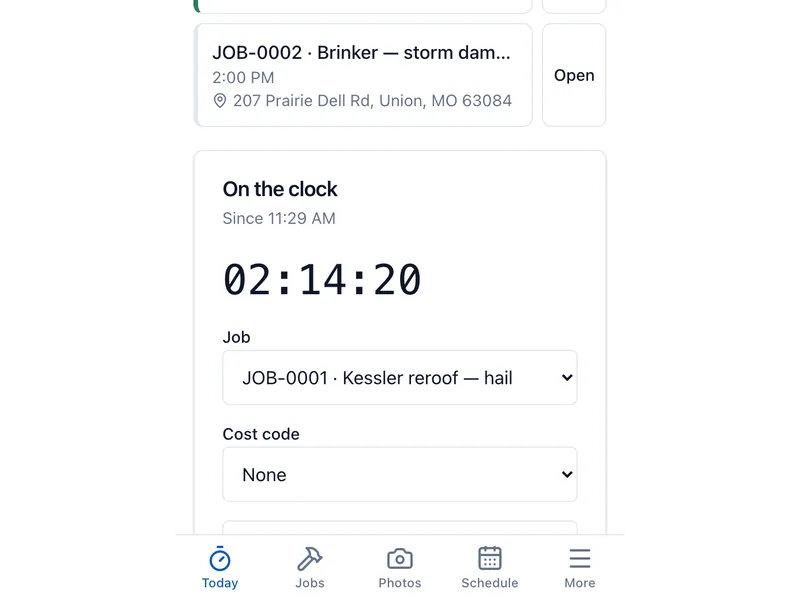
Crew time clock
Clock in and out against a job. Hours go to timesheets for the office to approve, and they show up in what the job actually cost you.
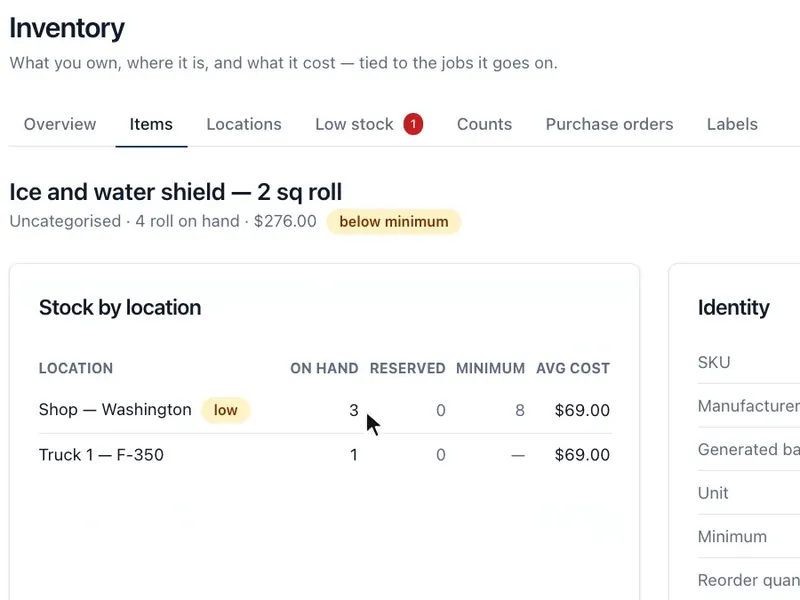
Inventory
Keep counts of shingles, underlayment, drip edge and gutter stock by truck or shop. Material pulled for a job comes off the count.
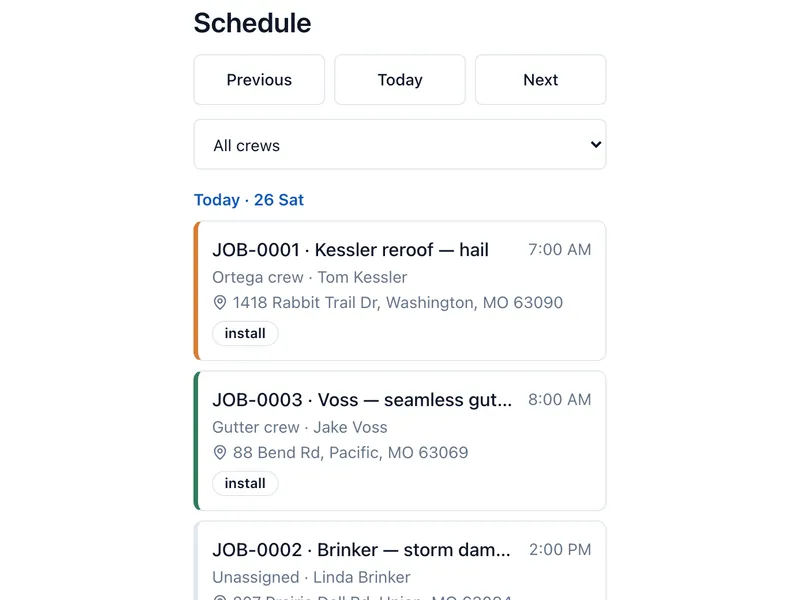
Scheduling and maps
Put jobs and crews on the calendar and see every job on a map with aerial imagery. We host the maps ourselves, so there is no Google or Mapbox bill behind them. How sharp the aerial imagery is depends on your area.
Customer portal
Homeowners get a private link to look over their estimate, sign it, see the photos you choose to share and check their invoices. No account for them to set up.
Moving from the tools you use now
- CSV import from your JobNimbus export
- CSV import from your Sortly export
- CSV import from your QuickBooks Time export
- CompanyCam photo connector
Roof measurements come from aerial imagery, the on-screen sketch tool, or your EagleView or Hover report. The books go to QuickBooks Online, or to your accountant as an export package they can import either way.
Everything that is included
- Customers and jobs. Type the customer in once. Each job is the complete record, with a timeline and a history of every change.
- Estimates and proposals. Build from your price book or a template, offer Good, Better and Best, and send it in your own proposal layout.
- E-sign and documents. Homeowners sign estimates, change orders, contingency agreements, insurance authorizations, completion certificates and warranties on their phone.
- Invoices and payments. Turn the signed estimate into an invoice, take card payments online, or record a check.
- Insurance claims. Track RCV, ACV, depreciation, the deductible and supplements, invoice from the claim, and follow it all in the Claims report.
- Roof measurements. Measure from aerial imagery, sketch on screen, or upload your EagleView or Hover report.
- Job photos. Photos from the phone land on the right job with the time and place, and AI photo tagging suggests the phase and any damage.
- Crew time clock. Clock in and out against a job, approve timesheets, and see labor in what the job cost.
- Inventory and material orders. Counts by truck or shop, material orders from the warehouse or a vendor, and printable work orders.
- Supplier price lists. Import a supplier’s price list, review cost changes before your prices move, and give supply-house reps their own login.
- Scheduling and maps. Jobs and crews on the calendar, every job on a map, and a calendar feed for your phone.
- Texting and email. Your company’s own texting number, message templates with merge fields, and “crew is on the way” and photo updates to the homeowner.
- Automations. A gallery of 38 ready-made automations for follow-ups, reminders and thank-yous, and a rule editor for your own.
- Inspection forms. Checklists with answers, photos and signatures, saved as a PDF.
- Referral program. Every customer gets a referral code, friends sign up on a public form, and you track the rewards.
- Customer portal. Homeowners look over their proposal, sign it, see the photos you share and check their invoices from a private link.
- Reports. Job cost, sales pipeline, labor, claims and referrals, without a spreadsheet.
- Accounting. QuickBooks Online sync, and an export package your accountant can import either way.
- Fieldplate assistant. Ask in plain words to find or change something, and it shows you each change before it makes it.
- Your data, whenever you want it. Export a job as one file, or your whole company, at any time.
- Help and support. A help centre with nine tutorial videos, and support from the people who built it.
Connects to
- QuickBooks Online
- CompanyCam
- EagleView and Hover reports
- Google aerial measurements
- Twilio texting
- Stripe payments
Each one is optional. Fieldplate works end to end with nothing connected.